Skip to content
Open beta · Since 19 October 2026 — See the roadmap

Modern replacement for desktop industry software · software for temporary staffing

Your workforce. Everything in view. Software for temporary staffing.

EagleDesk is a modern replacement for classic Windows desktop industry software in staffing agencies: one system in the browser instead of a server, an SQL instance, VPN or terminal-server access. From recruiting and dispatch through time tracking and invoicing to compliance, the Employee Web App and the customer portal — field-encrypted, with a dedicated key per tenant and operated in the EU.

Replaces Windows Server SQL Server Office licences Remote Desktop

9
functional areas — from recruiting to invoicing
§11/§12
§11/§12 documents at the push of a button
0
servers, SQL instances or Office licences on your side
EU
EU hosting & field-level encryption

Built for temporary staffing.

For staffing agencies and personnel-service providers that lease out workers commercially — tailored to the workflows of Austrian temporary staffing: from the client enquiry through assignments with assignment numbers to hour approval, invoicing and the legally required documents.

  • Assignment numbers
  • §11 employment contract
  • §12 assignment notice
  • § 10 AÜG wage rate
  • Working-time pre-planning
  • Cash book under the BAO

The staffing workflow

From enquiry to payment.

Client demand in the enquiry funnel, dispatch via skill matching and the board, hours in the time account, approval in the customer portal and, at the push of a button, the invoice — one workflow in one system.

  1. Enquiry

    Capture client demand in the enquiry funnel.

    Back office · Customer portal Available now

    Enquiries run through freely configurable stages; a staffing request becomes a vacancy, ready for matching.

    In the customer portal, clients report new staffing needs themselves.

  2. Assignment

    Find the right person, schedule, generate documents.

    Back office Available now

    Skill matching with knock-out criteria and a score suggests the right person without double-booking.

    On the board, you schedule by drag and drop; the assignment gets a sequential number, and the §11 employment contract and §12 assignment notice are produced as PDFs.

  3. Hours

    Hours worked flow into the time account.

    Back office · Employee Web App Available now

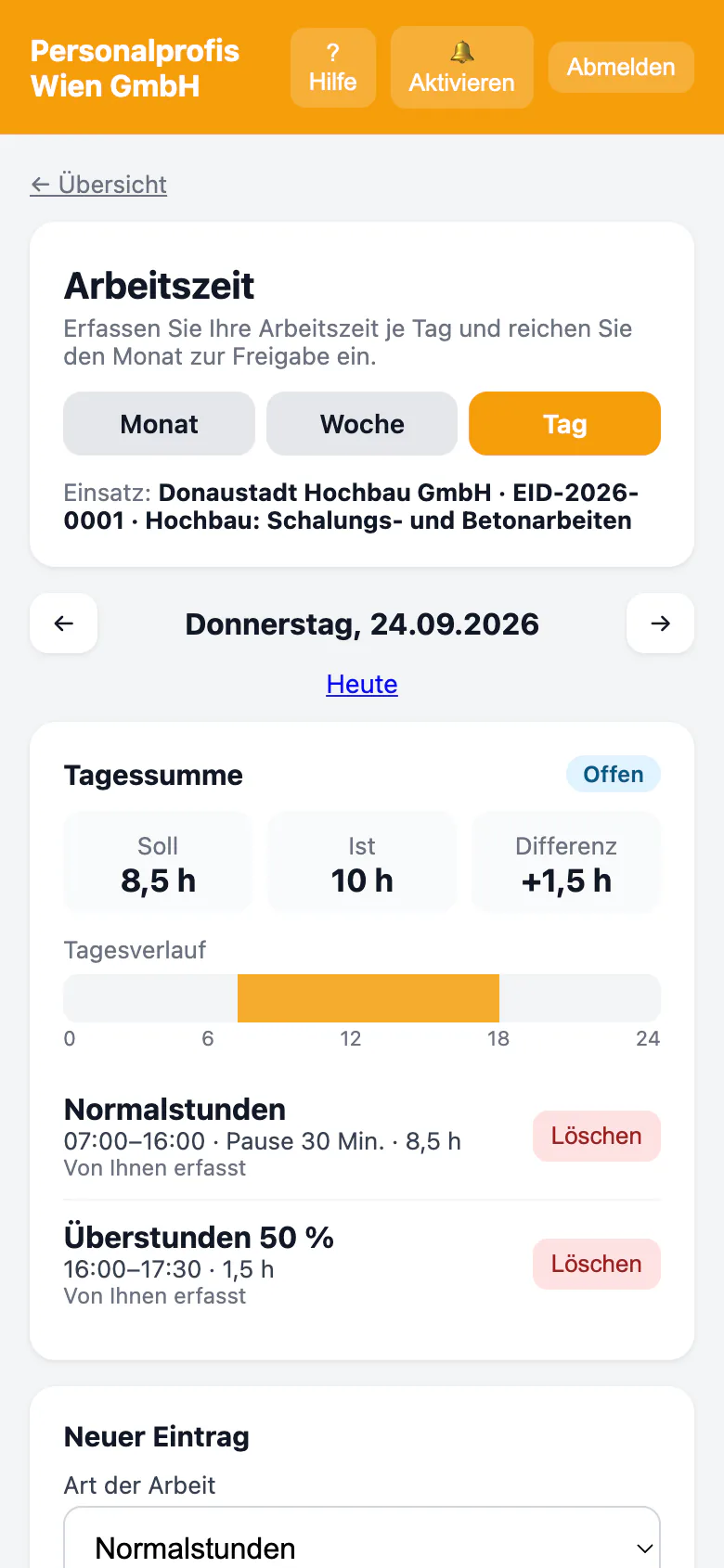
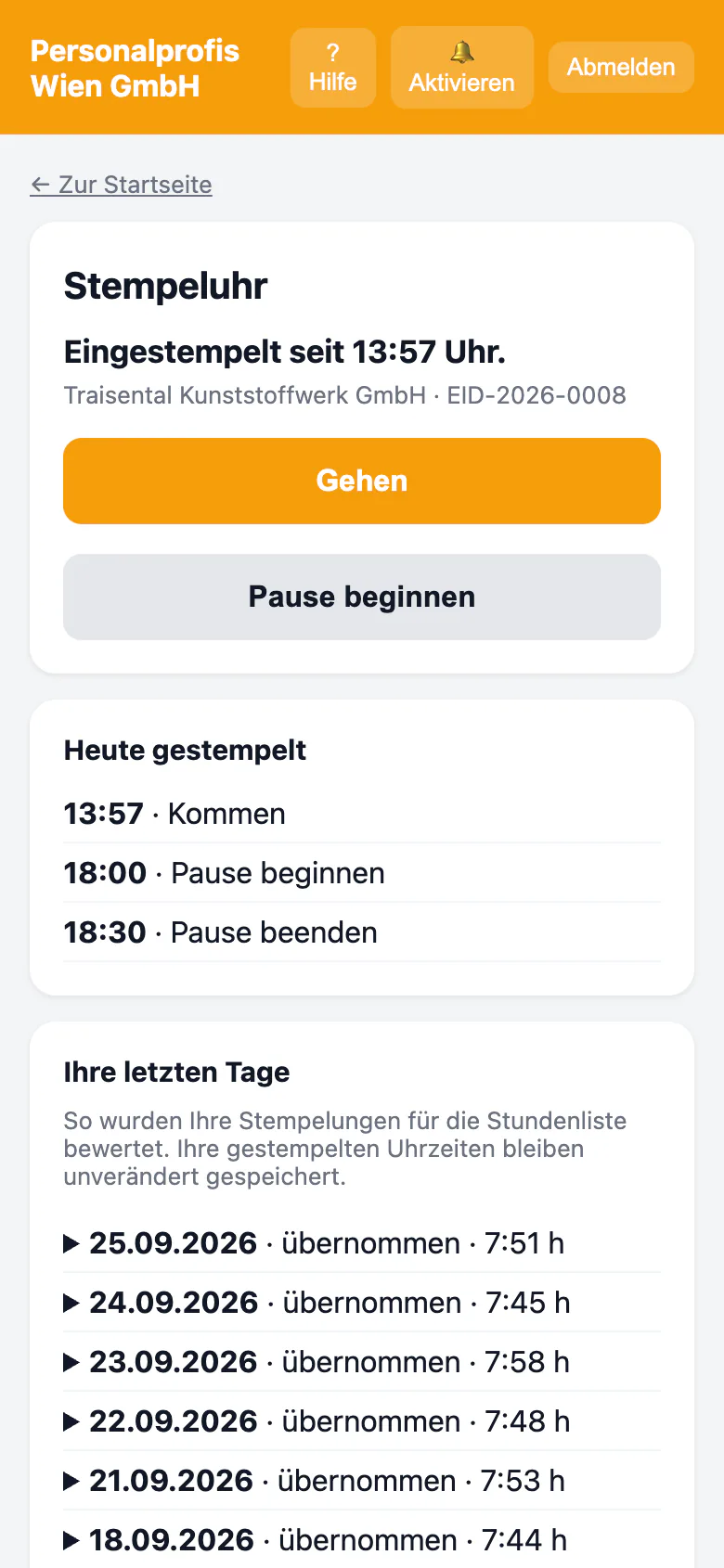
    Daily entry with a time-type split under the collective agreement and working-time law, a time clock with breaks — even offline and switched on per tenant.

    Every hour flows into the time account; in the Employee Web App, employees see their monthly hours and time account.

  4. Approval

    The client approves or rejects.

    Customer portal Available now

    In the customer portal, the client approves the whole timesheet or individual days and rejects with a reason — also in bulk per week; alternatively via a signed one-time link.

    Contacts have their own roles for approval, ordering and billing.

  5. Invoice

    Approved hours become the invoice.

    Back office · Customer portal Available now

    Invoices from approved hours at the push of a button, protected against double invoicing, with gap-free numbering; manual invoices start as drafts and only get their number when finalised.

    E-invoice as ebInterface, PEPPOL BIS or XRechnung; in the customer portal, clients see their invoices and download them as PDF.

  6. Payment

    Incoming payments, dunning, cash book.

    Back office Available now

    Incoming payments, cancellation and partial credit notes and dunning with dunning types, any number of stages and default interest, a dunning cockpit with batch printing, e-mail dispatch if switched on; a cash book under the Austrian BAO with immutable entries.

    Bank reconciliation: import bank statements (camt.053 or CSV) and match incoming payments to open invoices with suggestions — no payment is ever initiated.

Feature catalogue

Everything a staffing agency needs — across nine areas.

Every item is labelled honestly: “Available now” is built and running in the system, “In development” is being switched on during the beta and beyond. The package badge shows the package from which the feature is included.

Premium All In includes 199 of 199 features — 192 available now, 7 in development.

  • 16 available 1 in development

    People & applicants

    From the application to the personnel file — without double entry and with encryption where it matters.

    • People & master dataField-encrypted personnel file that stays searchable. Available nowPremium
    • Recruiting & CRMEnquiry funnel, applicant board, conversion to employee. Available nowPremium
    • Onboarding before day one NewNew employees enter their joining details in one of up to eleven languages before the first day and upload documents — the office checks every entry before it is adopted. Signing the contract in the Employee Web App comes with the e-signature in the PremiumPlus package. Available nowPremium
    • Reactivation NewFormer employees and talent-pool applicants are approached only with documented consent — as a suggestion you confirm (can be switched on per tenant). Available nowPremium All In
  • 14 available 1 in development

    Clients, sales & communication

    From the first call to a running order — with a pipeline, portal roles and clean sending.

    • Orders & quotesQuote → order with agreed billing rates. Available nowPremium
    • Bulk communicationTemplates, bulk sending, campaigns with opt-in proof. Available nowPremium
    • Lead radar NewShows, for each available employee, clients with demand, former assignment clients and leads nearby — actions only when you click. Available nowPremium All In
  • 34 available 0 in development

    Dispatch & overview

    The control room of your business: who is where, what is expiring, what needs doing.

    • Dispatch & matchingDrag-and-drop board with direct entry, skill matching without double-booking. Available nowPremium
    • Compliance & safetyDeadline traffic light for exams, training, PPE, workplace info. Available nowPremium
    • Instruction with comprehension check NewMultilingual instruction in the Employee Web App with questions, explanations and signature; as an in-person session with a rotating QR code in the PremiumPlus package. Available nowPremium
    • Occupational-safety feedback channel NewEmployees answer questions about their workplace and report near misses and hazards — anonymous towards the client company on request, with feedback on the measure taken (can be switched on per tenant). Available nowPremium
  • 25 available 2 in development

    Time tracking & Employee Web App

    Record hours where the work happens — and get them approved without paper chaos.

    • Time & approvalTime account and hour approval by the client — also day by day. Available nowPremium
    • Daily time & time clockDay-by-day entry with a time-type split, time clock with breaks — even offline. Available nowPremium
    • Employee Web App & customer portalEmployee Web App and customer portal in the browser, installable on the home screen. Available nowPremium
    • Digital assignment ID NewEmployees show their assignment with a verification QR code in the Employee Web App, even offline; the client verifies it in the customer portal — no biometrics, photo only with consent (can be switched on per tenant). Available nowPremiumPlus
  • 25 available 0 in development

    Invoicing & finance

    Approved hours become a correct invoice — and the invoice becomes a clean journal entry.

    • Invoicing & cash bookInvoices from hours and manual invoices, dunning with default interest, cash book under Austrian tax law (BAO). Available nowPremium
    • Payrolling invoicing NewInvoices from payroll data (finalised trial-run statements) with surcharge factors per client, order or assignment, cost statement and protection against double invoicing. Available nowPremium
  • 20 available 0 in development

    Payroll preparation & collective agreement

    Correct foundations for payroll — according to the collective agreement and § 10 AÜG, with a traceable log.

    • Payroll preparation & collective agreementsMinimum-wage check, collective-agreement adjustment and payroll runs as a trial run — no payments, no filings. Available nowPremium
    • Special payments & final settlementHoliday and Christmas bonuses, leave compensation and exits in the payroll trial run. Available nowPremium
    • Payroll handover to your payroll office NewMonthly hand-over file with wage-type mapping for your payroll office — a pure data hand-over, no binding calculation, transmission or payment. Available nowPremium
    • Payroll rules in the trial run NewContinued pay during sick leave, home-office allowance and short-time work are included in the payroll trial run — confirm the parameters with your tax adviser; no payout, no filing. Available nowPremium
  • 22 available 1 in development

    Controlling & insights

    Figures you understand — from open items to the contribution margin per assignment.

    • Controlling & reportsRevenue comparison, clients by revenue, new assignments and changed rates. Available nowPremium
    • Costing & contribution marginPre-costing per hour, contribution margin per assignment and client, with log. Available nowPremium
    • BI & demand radarKey-figure tiles on open items and revenue, seasonal peaks per client foreseen. Available nowPremium All In
    • AI assistanceRead timesheets, job ads, translation — as a suggestion that a person confirms. In developmentPremium All In
  • 16 available 1 in development

    Documents, archive & signature

    From the §11 contract to an audit-proof archive — generated, filed and signed in one system.

    • Documents & staffing law§11/§12 as PDF, versioned templates, CV generator. Available nowPremium
    • Digital signatureSign documents in the Employee Web App and the customer portal, with countersignature. Available nowPremiumPlus
    • Archive & archive searchDocument archive across all records with search by name, tag and number, full text via an encrypted word index and ZIP download. Available nowPremiumPlus
  • 20 available 1 in development

    Platform, packages & GDPR

    The foundation: tenant separation, permissions, traceability and interfaces.

    • Interfaces & APIREST API with tokens and scopes per tenant, webhooks and SFTP transfer. Available nowPremium

Shows what the functional area contains. Modules outside the package can be added as add-on modules.

Full feature catalogue →

A look inside

What the work looks like.

Screenshots from the running software, captured with demo data — from the office through the Employee Web App to the customer portal.

Back office

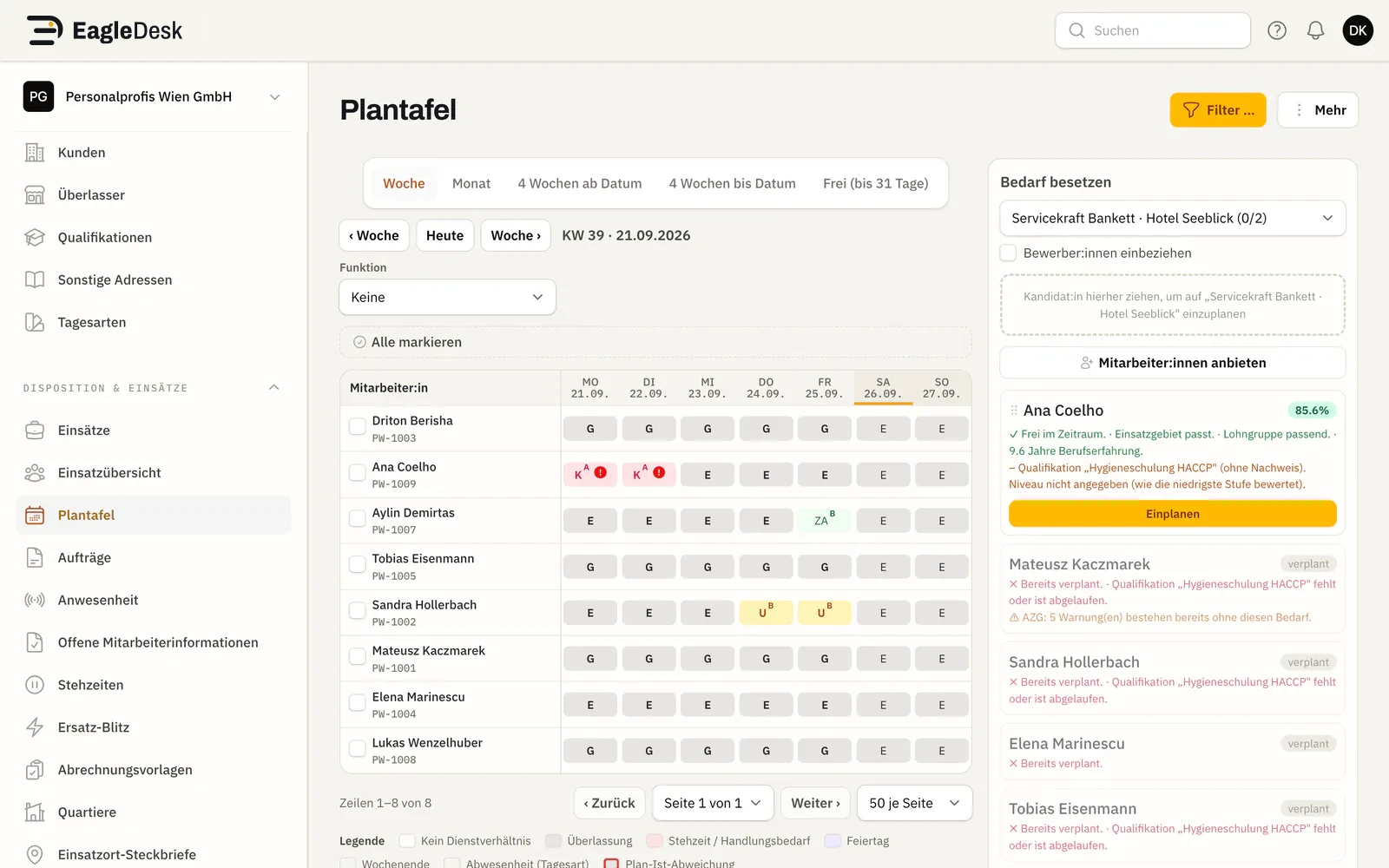
Dispatch board with one calendar week and demo employees
Dispatch boardPlan assignments visually: drag candidates onto the demand — with availability in mind.Available now
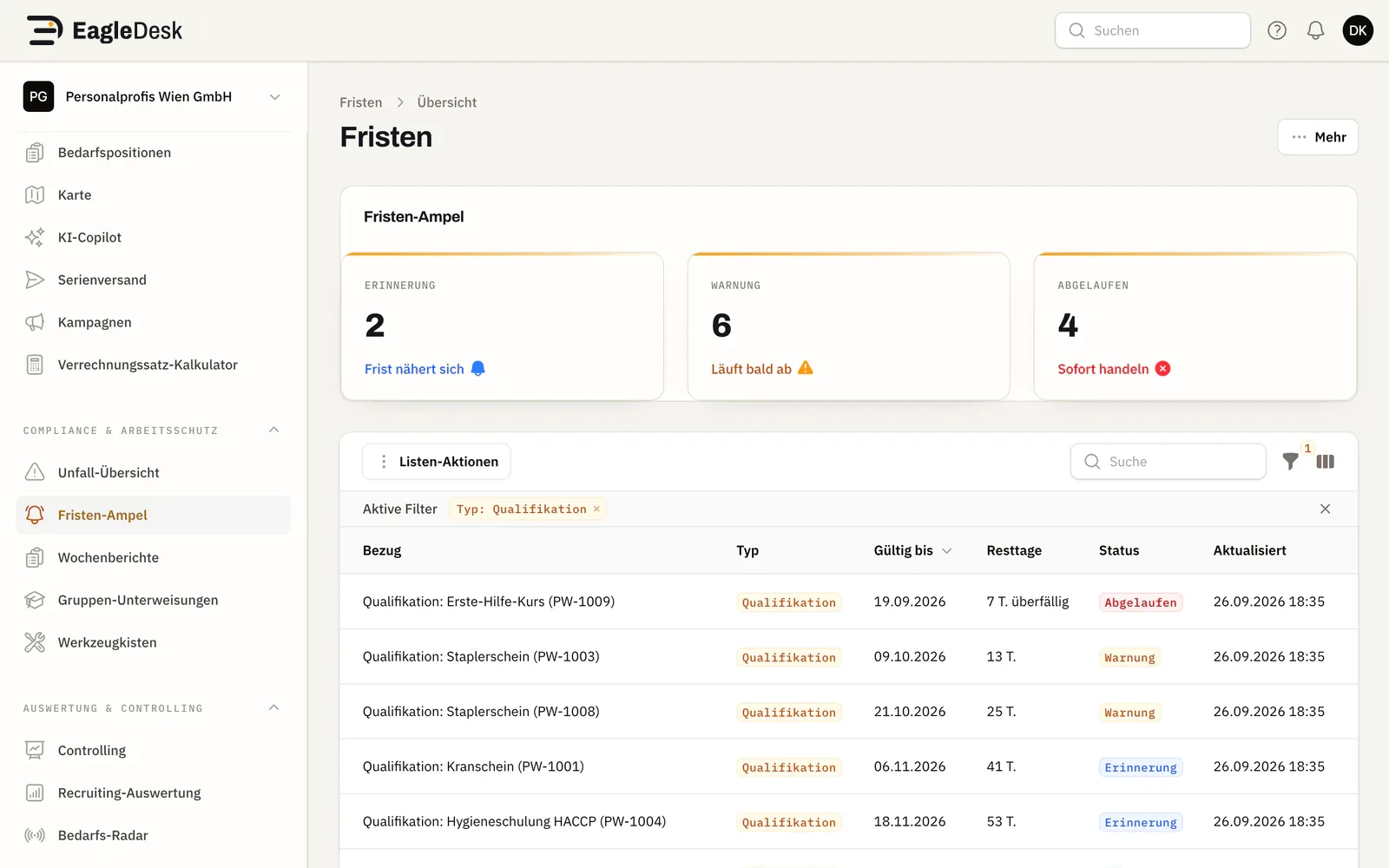
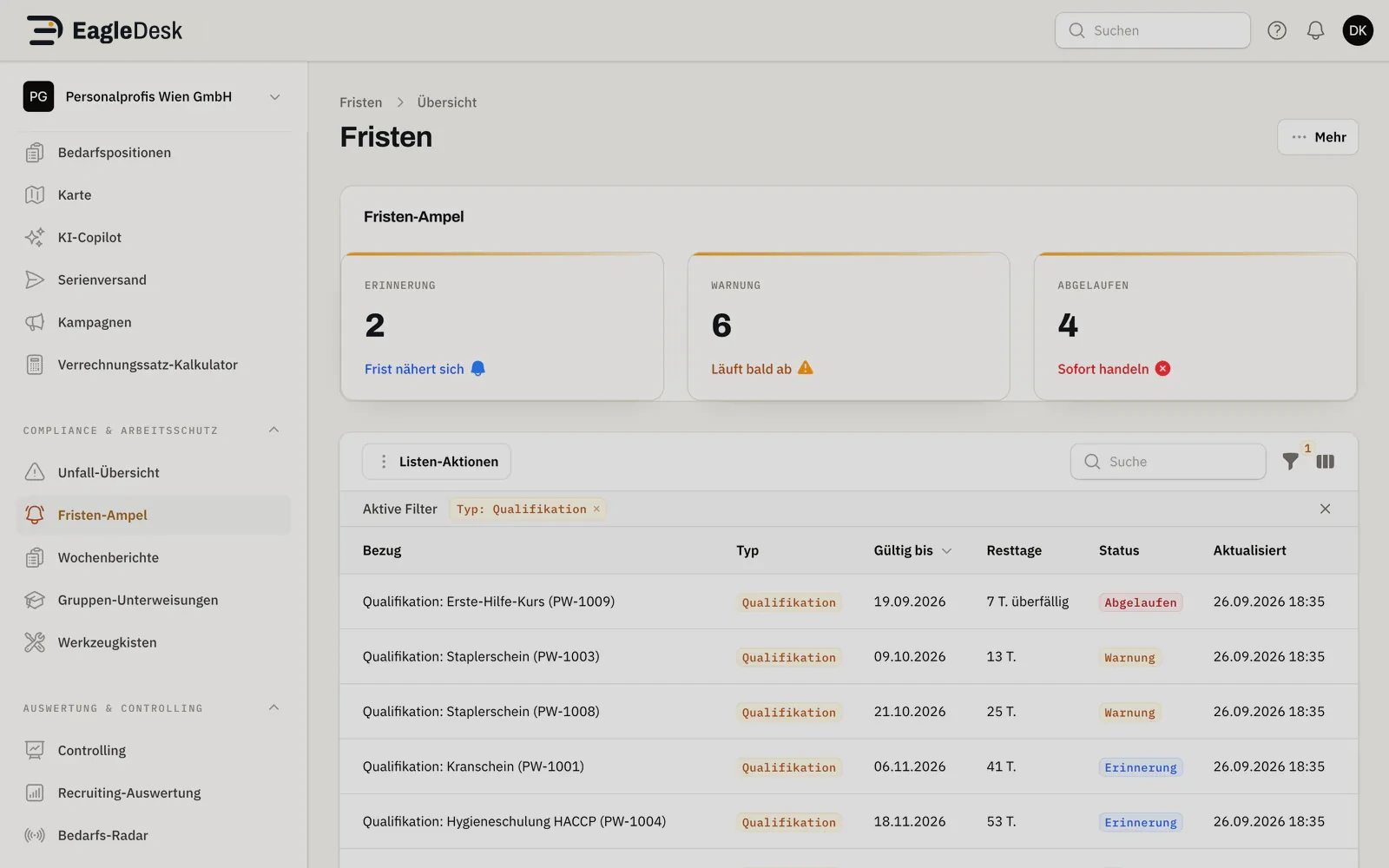
Deadline dashboard with traffic lights for demo employees
Compliance traffic lightExams, certificates, training, PPE and workplace information in one deadline dashboard.Available now
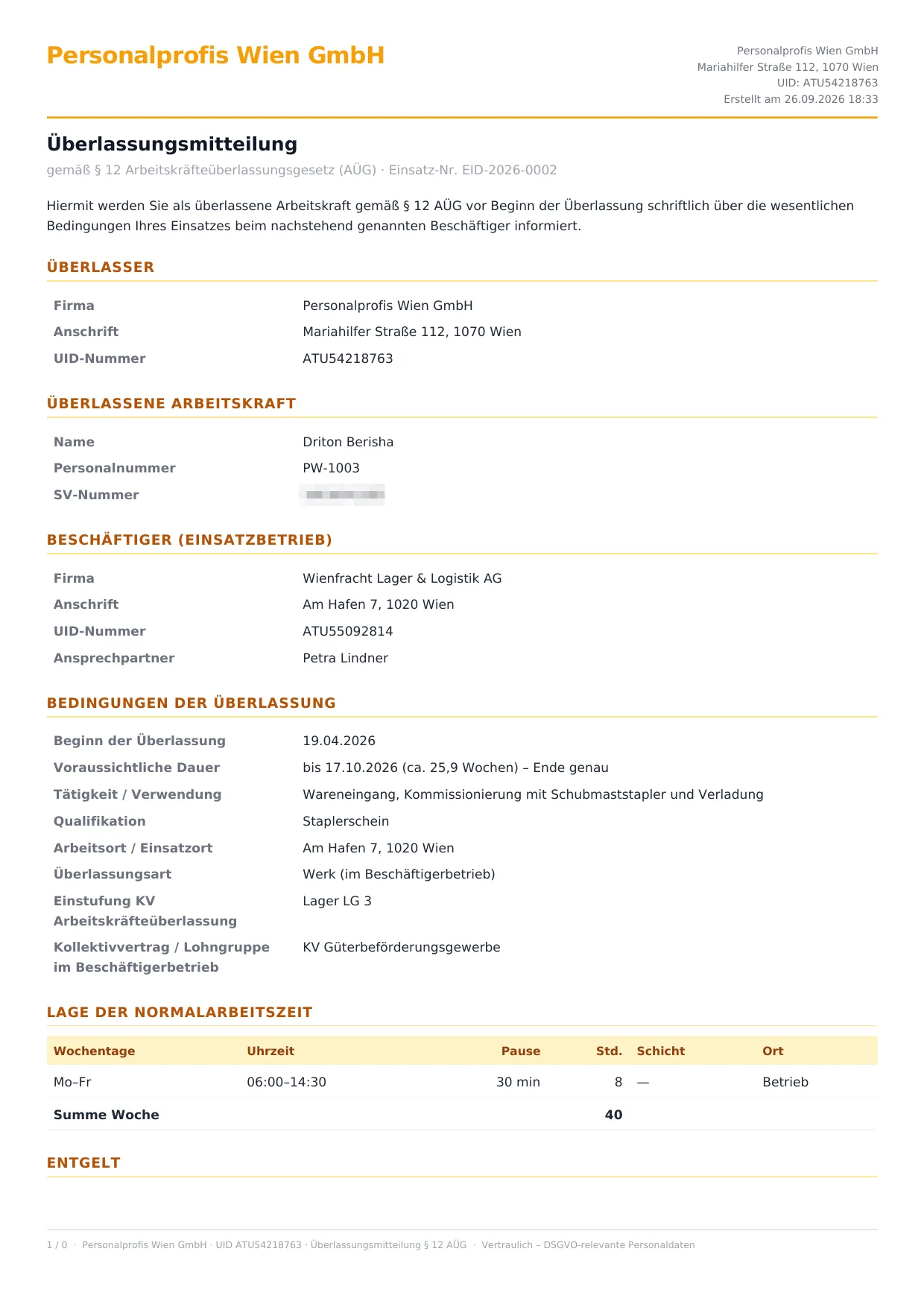
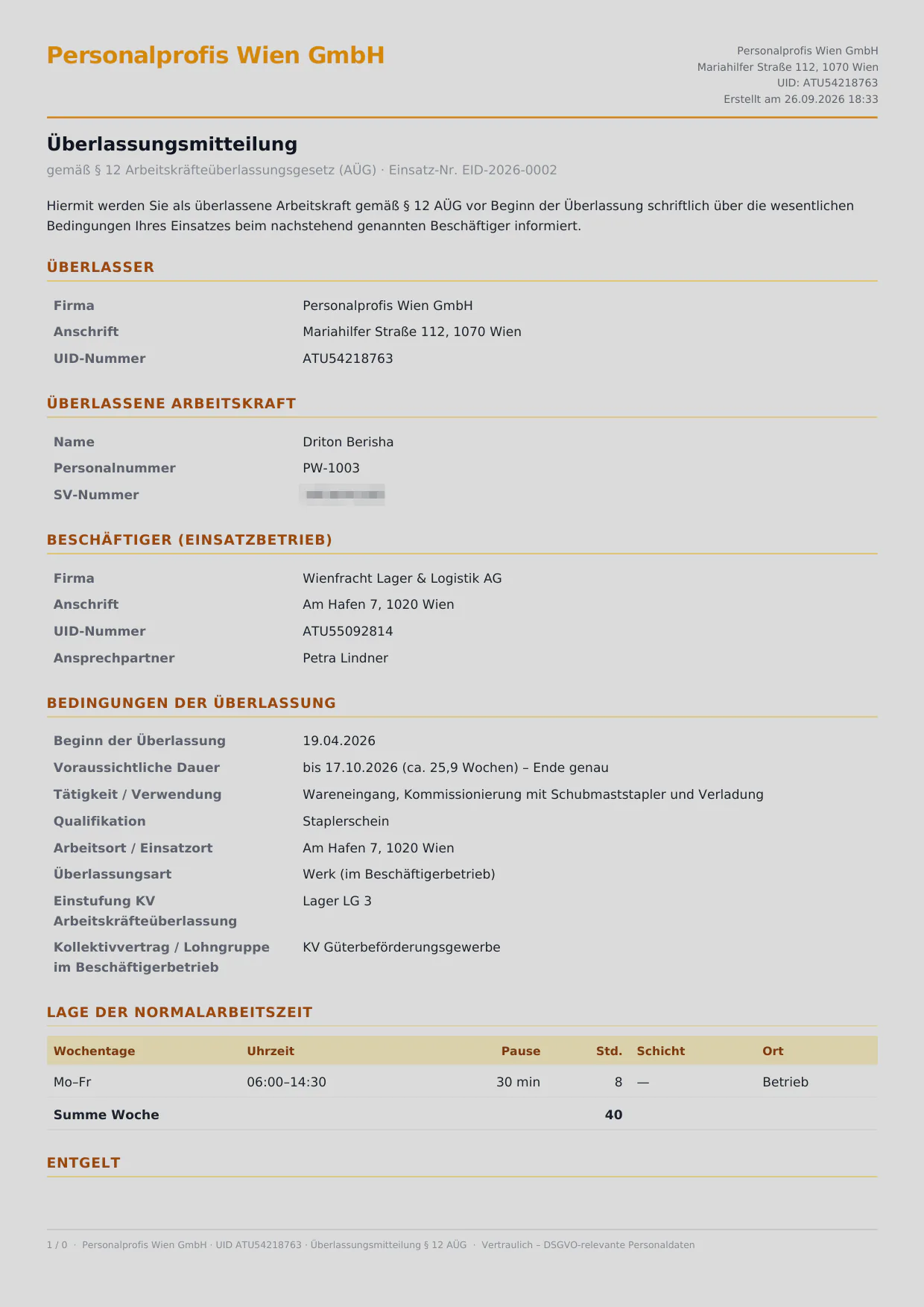
Generated §12 assignment notice as a PDF page
§12 assignment noticeAutomatically as a print-ready PDF.Available now

Employee Web App

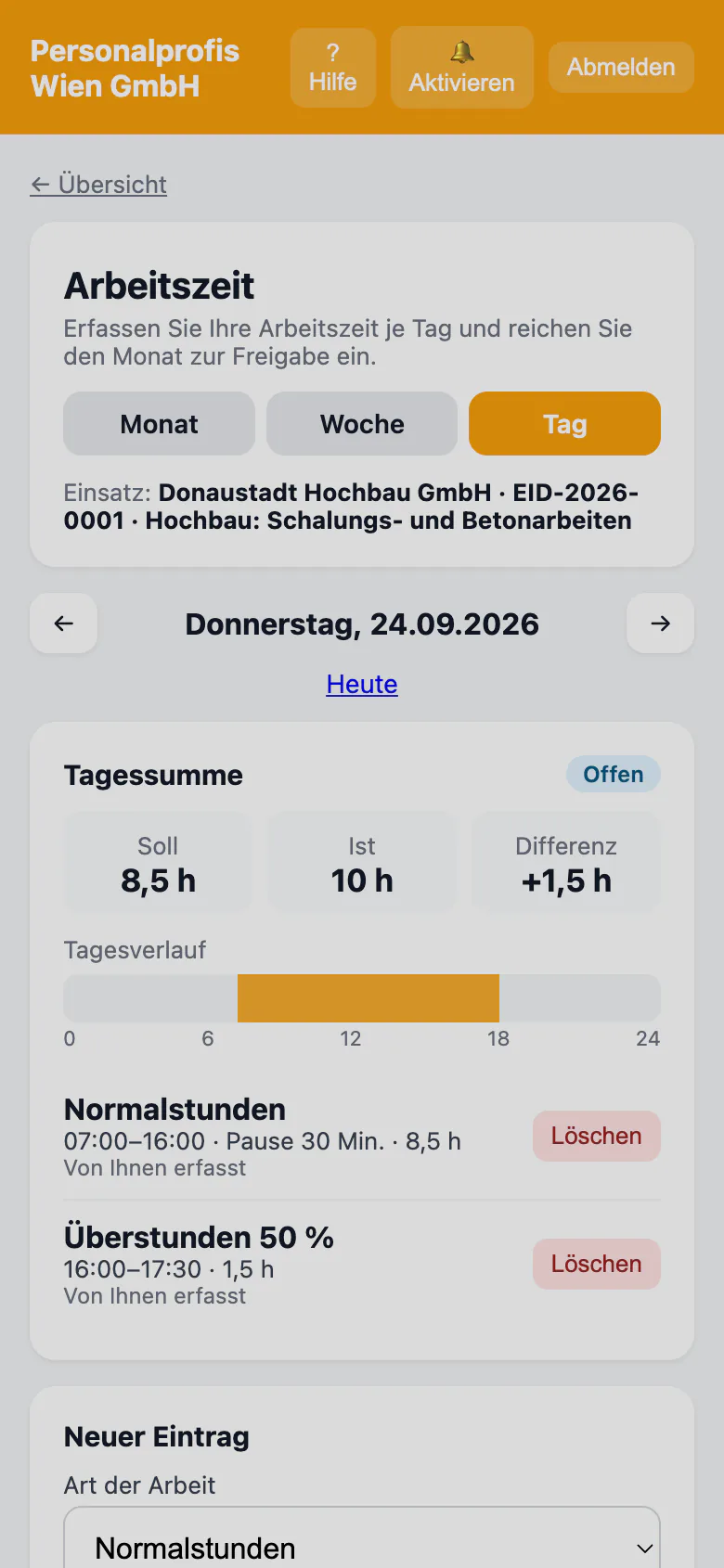
Daily time entry with time types in the Employee Web App on a smartphone
Time entry in the Employee Web AppRecord working time day by day and submit it for approval.Available now
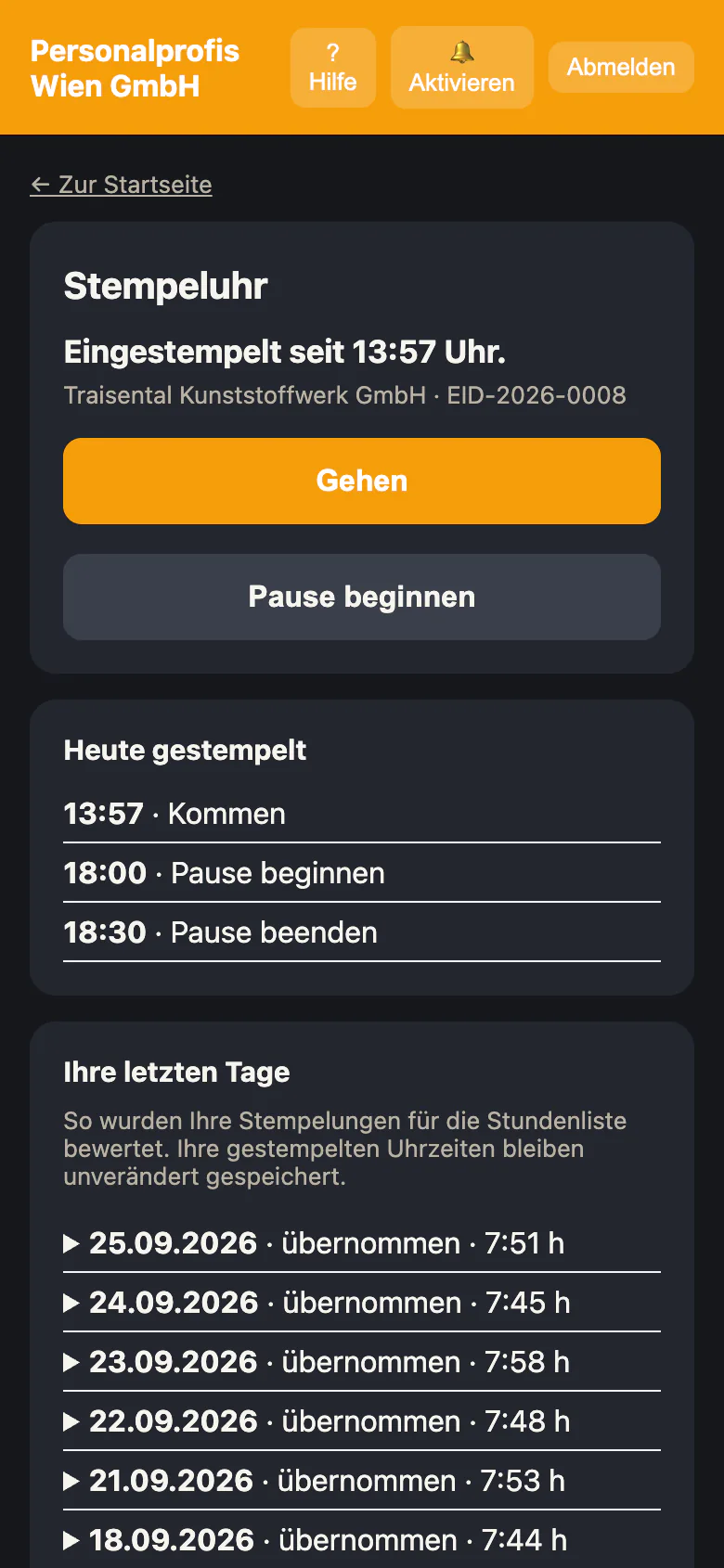
Time clock in the Employee Web App on a smartphone
Time clockClock in, break, clock out — even offline; switched on per tenant.Available now

Customer portal

Open timesheets of a demo client in the customer portal
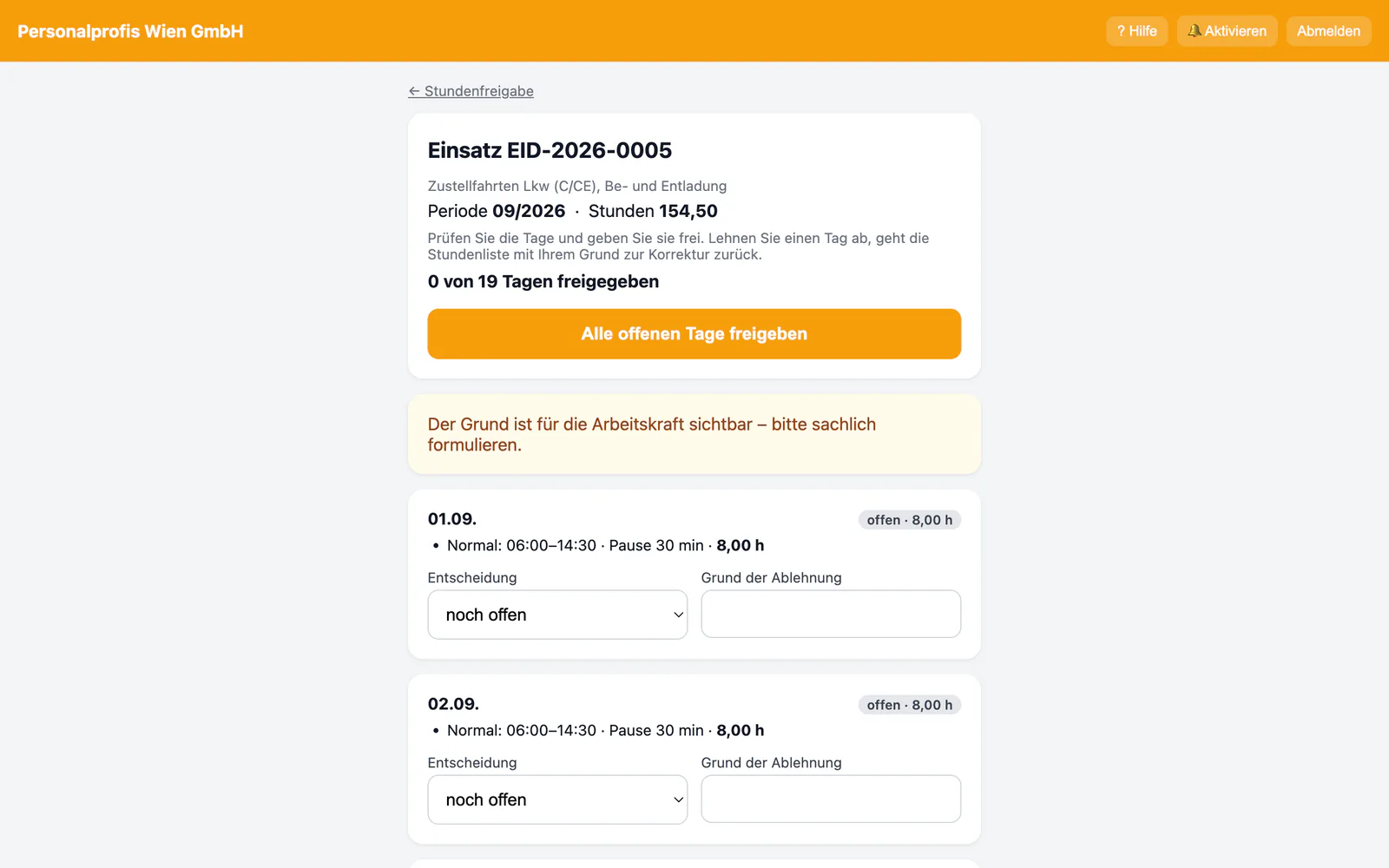
Hour approval in the customer portalApprove hours worked or reject them with a reason.Available now

All screenshots show demo data.

Employee Web App & customer portal

Two access points that take work off your hands

The Employee Web App and the customer portal run in the browser and can be installed on the home screen — tenant-separated, with their own sign-in and an enforced first-password change. No app store, no installation by IT. The interface is available in up to eleven languages — from German and English to Hungarian, Romanian, Polish, Croatian and Turkish.

For employees · /portal

Employee Web App

  • View monthly hours and time account
  • Record working time day by day and submit it (can be switched on by the tenant)
  • Time clock with breaks, even offline; optional location check
  • Own assignments with work site and notes
  • See your own shift plan for the next four weeks, with a calendar file
  • Complete open tasks for joining, assignment start and leaving — upload documents, complete details, acknowledge; the office checks
  • Enter joining details in one of up to eleven languages before the first day and upload documents — the office checks every entry New
  • Answer assignment offers via push and set a preference profile
  • Report absences and sick leave
  • Submit expenses with receipt upload
  • Access released documents from the personnel file (e.g. payslips from the payroll office) and submit your own documents such as a residence registration (Meldezettel) or a certificate — the office checks and accepts them
  • View your own master data and request changes — the office checks and accepts each field individually (can be switched on per tenant)
  • Sign off on training
  • Work through instruction in several languages, answer questions and sign New
  • Answer questions about your workplace and report hazards, anonymous towards the client company on request (can be switched on per tenant) New
  • Messages with dispatch
  • Read company news — targeted by client or location, optionally with read receipts (works agreement required)
  • Team leads record time and clock in for their team
  • Two-factor sign-in via app
  • Interface in up to 11 languages, chosen per person
  • Answer assignment check-ins via push Package: Premium All In
  • Show the assignment ID with a verification QR code, even offline (can be switched on per tenant) New Package: PremiumPlus
  • Sign documents digitally Package: PremiumPlus

For clients · /kundenportal

Customer portal

  • Approve or reject hours worked — also day by day and in bulk per week
  • Take note of absences of assigned employees, without any reasons (can be switched on by the tenant)
  • View invoices and download them as PDF
  • Submit new staffing requests directly
  • Roles per contact: approval, ordering, billing
  • Approval responsibility per department or assignment, substitution during absence and the team-lead view “My team”
  • View the shift plan of your own assignments (can be switched on per tenant)
  • Attendance today and for the month
  • Accept or decline staff proposals
  • Read news from the staffing agency
  • Interface in up to 11 languages, chosen per person
  • Document archive with staffing contract and records Package: PremiumPlus
  • Live status per request with re-ordering Package: PremiumPlus
  • Assignment channel: messages from the customer to its assigned team — working-time topics only after approval by dispatch, without names or phone numbers Package: PremiumPlus
  • Verify assignment IDs and use the “on assignment today” check folder (can be switched on per tenant) New Package: PremiumPlus
  • Carry out workplace-specific instruction in the customer portal (can be switched on per tenant) New Package: PremiumPlus
  • Sign documents digitally Package: PremiumPlus

Next on the build list

  • Push notifications for clients (In development)

Time entry, the time clock and assignment offers in the Employee Web App, the location check, assignment check-ins, the digital assignment ID and the occupational-safety feedback channel and, in the customer portal, attendance, absences, staff proposals, the document archive, live status, the assignment channel, assignment ID verification and instruction are switched on deliberately by the tenant — they are off by default. An admin enables team leads individually.

From desktop to browser

Six fewer components. One connection.

Classic industry software for staffing agencies brings its own engine room: server, database, Office licences, VPN/terminal-server access, and backups — all in your own office, all your own responsibility. EagleDesk routes these lines into a single node.

Classic · self-operated — No longer needed after the switch

  • Windows Serverhardware · upkeep
  • SQL Serverinstance · licence
  • Office licencesper workstation
  • Remote Desktopfor branches
  • VPN & terminal serveroutside access
  • Local backupyour responsibility

Node 01

Browser

EU data centre

Updates · backups · encryption

  • OfficePC · Mac
  • BranchTablet
  • On the roadSmartphone

Data sheet

EagleDesk in detail

Browser
Current versions of Chrome, Edge, Firefox or Safari
Devices
PC, Mac, Linux, tablet, smartphone — from 375 px width
Installation
None. Employee Web App and customer portal optionally on the home screen
Office
Not required — documents are produced as PDF
Location
Data centre in Germany (EU)
Backups
Daily, integrity-checked; keys stored separately
Accounting
BMD/DATEV-ready journal-entry CSV per invoice or as a monthly batch export with a run number, with receivable and revenue accounts per tax case and a check report
SFTP
Journal-entry CSV and e-invoice (with Premium All In also the cost-accounting file) optionally via SFTP to a server of your choice, with a mandatory server fingerprint
Bank reconciliation
Import bank statements as camt.053 or CSV and match payments to invoices (suggestions, you confirm)

Technical data

Technology by company size.

  • Single workstation — No longer needed: SQL instance, Office licence, Backup routine
  • Up to 5 workstations in the office — No longer needed: “Server PC”, Licences per seat, Update appointments
  • More than 5 workstations — No longer needed: Windows Server, SQL full version, Hardware cycle
  • Several branches & teleworking — No longer needed: Remote Desktop, Terminal server, VPN access

So far, in your own office

  • Buy, maintain and replace server hardware
  • License an SQL database and Office/database software per workstation
  • Branches and home office only via Remote Desktop
  • Updates, backups and security on your own

With EagleDesk

  • A current browser is enough — on any device
  • Operation, updates and backups included
  • Every location connected directly, no remote access
  • Field-level encryption with a dedicated key per tenant

Migration

Out of the server room. Into the browser.

Switching from Windows desktop industry software is not a leap in the dark. We take over your data, set up the system with you and run both systems in parallel until a clear cut-over date.

  1. Kick-off & inventory

    What data sits in the old system, how do today’s processes run? We agree scope, cut-over date and contacts.

  2. Data import

    Export from the old system as CSV, import into EagleDesk: clients, contacts and open assignments with a dry run and a per-row error list, employee master data via the CSV import in the employee list.

  3. Setup

    Tenant, branding, roles, number ranges, templates, collective-agreement tariffs and parameters are configured.

  4. Training

    Online training in short sessions — separately for dispatch, accounting and management.

  5. Parallel operation

    New work runs in EagleDesk, the old system stays for reference. Ideally you start at the beginning of a month.

  6. Cut-over date

    From the cut-over date the business works only in the browser. The old system is kept read-only or as an archive.

Why parallel operation?

Because staffing cannot stand still. Wages, invoices and deadlines keep running while you switch. That is why we set a cut-over date — usually the start of a month — and run both systems side by side until then. No month is billed twice and none is forgotten.

Everything about migrating from desktop industry software →

Security & GDPR

Your data belongs to you.

Personnel data is highly sensitive. EagleDesk protects it on several layers — technically, not as a marketing promise.

  • Field-level encryption

    Sensitive fields are individually encrypted in the database. Search stays possible via secure blind indexes.

  • Per-tenant key

    Each organisation encrypts sensitive fields with its own derived key — so this data is also cryptographically separated; all other data is strictly separated per tenant by the system.

  • Health data (Art. 9)

    Fitness-for-work exams and findings carry the highest protection class: stored encrypted, served only over authenticated routes, not in plaintext in the log.

  • Encrypted documents

    Uploaded files (IDs, contracts, receipts, certificate scans) are also stored encrypted and only served through authenticated routes.

  • EU hosting

    Operated in a data centre in Germany (EU). We process business data in the EU; optional services such as web push or the map view may involve delivery or request data outside the EU.

  • Audit log

    Traceable who changed which data and when — sensitive fields such as name, address, social-security number, IBAN or findings are not logged in plaintext.

  • Daily backups

    Automatic, integrity-checked backups of the database and encrypted documents — with the keys deliberately kept separate.

  • Automatic erasure deadlines

    A daily run deletes automatically once the periods have expired, unless a retention duty applies — for applicants and logs after fixed periods, for employees from the deletion date entered in their record. Clients and assignments with timesheets, people with clock-in data and locations with invoices are locked against permanent deletion.

  • 2FA & roles

    App-based two-factor sign-in in the office and in the Employee Web App, plus a clearly separated, role-based permission model from admin to dispatch.

AI assistance In development

AI that suggests. People who decide.

Mainly in the Premium All In package, AI helps with routine work — with clear guardrails built into the system, not just into the brochure. AI is switched on per tenant on request once set up, processed in the EU or via a dedicated model in an EU data centre. The features page shows which AI features are already available.

  • Off by default

    AI is switched on deliberately per tenant — with the external EU service only after the customer has confirmed that it acknowledges the sub-processor (processing in the EU).

  • EU processing only

    Processing exclusively in the EU, no training on your customer data.

  • People decide

    Every result is labelled as an AI suggestion. It only enters records, hours and documents once a person confirms it.

  • Protection for health data

    Health data fields are technically excluded from the AI. Texts for translations, self-disclosures and voice notes are checked against a keyword list before they are sent; any health information detected does not go to the AI.

  • Logs without content

    Only metadata is logged — never inputs or answers.

Use cases

  • AI timesheetsRead scanned timesheets, check them in a review screen, adopt them as a draft.
  • AI job adsAds with versions and a check for gender-neutral wording.
  • Knowledge assistantAnswers on how to use the system and on your own documents, with the source — no source, no answer.
  • Insights explainedKey figures explained in words — without personal data (in development).
  • TranslationTranslate messages, the assignment channel and texts in the Employee Web App and customer portal; the original stays authoritative; documents will follow.

Roadmap

Where EagleDesk stands today

Since 19 October 2026 EagleDesk has been in open beta with real customers. The build-out continues across nine functional areas.

  1. Before the beta

    Core system up and running

    People, recruiting, dispatch, time, invoicing, controlling, payroll trial run, compliance, documents, the Employee Web App and the customer portal are up and running.

  2. Since 19 October 2026 Current

    Open beta

    In use with real customers — access after a personal conversation, with setup, training and a direct line to development.

  3. After the beta

    Market launch

    General availability in the Premium, PremiumPlus and Premium All In packages.

  4. Ongoing

    Build-out across nine areas

    More interfaces and features — labelled honestly as “In development” on the features page until they are available.

Trial

Trial access after a personal conversation.

In the open beta we set up every trial account personally: after a short conversation you receive an invitation and try EagleDesk free of charge and without obligation for 14 days. There is no self-registration.

Request a conversation
  • 14days free of charge and without obligation
  • 20active workers in the trial
  • All Infull feature set of the Premium All In package

No payment details, no automatic renewal — the trial ends automatically at no cost.

Questions & answers

Frequently asked questions about EagleDesk

What the software is, what it does today and what is coming during the beta.

Everything about migrating from desktop industry software →

What is EagleDesk?

EagleDesk is a multi-tenant software designed for GDPR compliance for Austrian temporary staffing (temporary agency work under the AÜG). Staffing agencies run their entire operation in one place: recruiting, dispatch and matching, time tracking, invoicing and cash book, compliance deadlines, §11/§12 documents, the Employee Web App and the customer portal — with field-level encryption of sensitive data and EU hosting.

Why a replacement for classic desktop industry software?

Many staffing agencies work with Windows programs that need their own server, an SQL database, Office/database licences per workstation and, for branches, Remote Desktop access. EagleDesk runs in the browser: operation, updates, backups and encryption are included, and every location and device is connected directly.

Is EagleDesk available yet?

Yes. The open beta with real customers has been running since 19 October 2026. We set up access after a personal conversation — there is no self-registration. On the features page, every item is labelled “Available now” or “In development”.

Do I need to install anything?

No. A current browser is enough — on a PC, Mac, tablet or smartphone. You need no server, no SQL instance and no Office licence. The Employee Web App and the customer portal can be added to the home screen.

Who is the software for?

For staffing agencies and personnel-service providers that lease out workers commercially. The application is tailored to the workflows of Austrian temporary staffing: from the client enquiry through dispatch and assignments with assignment numbers to hour approval, invoicing and the legally required documents.

Does EagleDesk cover the whole flow from enquiry to invoice?

Yes. Client demand is captured in the enquiry funnel, suitable workers are dispatched via skill matching and scheduled on the board. Hours worked run through a time account, are approved by the client in the customer portal and turned into invoices at the push of a button — including a cash book under the Austrian BAO and multi-stage dunning.

Does EagleDesk run payroll?

No, not in live operation. EagleDesk prepares payroll data and hands it over to external payroll (tax adviser or payroll office). Payroll runs per month and employment relationship are trial runs for checking — income tax in them is a placeholder or a trial calculation based on a tariff the business maintains itself and that is labelled as such. Filings with authorities and wage payments are deliberately not included.

Does EagleDesk create §11 AÜG employment contracts and §12 AÜG assignment notices?

Yes. From the master data and assignment data entered, the software automatically generates §11 employment contracts and §12 assignment notices as print-ready PDFs — without retyping. A document generator with versioned templates covers further paperwork.

Is EagleDesk GDPR-compliant?

EagleDesk is designed for GDPR compliance. Sensitive fields such as the social-security number, date of birth and address are encrypted field by field (CipherSweet/AEAD) with a separate derived key per tenant. Findings, sick-leave reasons and accident descriptions (Art. 9) and uploaded documents are stored encrypted, hosting is within the EU, an audit log records changes without logging sensitive fields such as name, address, social-security number, IBAN or findings in plaintext, and automatic erasure deadlines delete expired records daily – for employees from the deletion date entered in their record – unless a retention duty applies (GDPR Art. 17). Compliant operation also requires the staffing agency’s organisational measures, such as a data-processing agreement.

Where is the data hosted?

In a data centre in Germany, i.e. within the European Union. We process business data in the EU; optional services such as web push or the map view may involve delivery or request data outside the EU. The database and encrypted documents are backed up daily with an integrity check.

What security and access features are included?

App-based two-factor authentication (TOTP) in the office and in the Employee Web App, a clearly separated, role-based permission model, an enforced password change on first login (in the Employee Web App and customer portal too), encrypted sessions and enforced HTTPS/TLS.

How do I move from my current software to EagleDesk?

Clients, contacts and open assignments can be imported via CSV – with a dry run and a per-row error list. Employee master data comes in through a separate CSV import; rows with errors are reported with their row number. We plan setup, training and parallel operation up to a cut-over date together — details on the “Migration” page.

How much does EagleDesk cost?

Prices on request: you receive an individual quote for your plan (Premium, PremiumPlus or Premium All In). Beta conditions for contracts starting by 31 March 2027: 20% discount on all prices, fixed price for 2 years.
Contact

Ready to plug in?

Want to join the open beta or see the system first? Tell us briefly what you need, for how many active workers and what you use today — we will get back to you personally: with an online demo, a non-binding quote and, if you wish, a trial account. Beta conditions: 20% discount on all prices, fixed price for 2 years – prices on request (contract start by 31 March 2027).

Open beta · Since 19 October 2026

Send an enquiry

Demo, consultation or switching: write to us briefly and we will get back to you personally.

Only if you would like to be reachable by phone.
e.g. the solution you use today.
Please do not include health data or data of third parties. At most 2000 characters.

We only use your details to answer your enquiry (pre-contractual measure). More in the privacy policy.

or directly to hello@eagledesk.at · +43 680 2208354